
A smarter alternative to EditReady
Parallel Media Encoder offers transparent hardware-aware scheduling, custom presets with LUT baking, a full CLI with REST API, and full H.265 output control. Choose 8-bit or 10-bit and 4:2:0 or 4:2:2 regardless of your source. Start free. Pro is $39, one-time.
Requires macOS 14.5 or later. Apple Silicon required.
Feature-by-feature comparison
An honest look at how Parallel Media Encoder and EditReady compare.
| Feature | PME | EditReady |
|---|---|---|
| Parallel Encoding | 2–10 simultaneous, hardware-aware | Up to ~8, internal scheduling |
| H.265 Output Control | Choose 8-bit/10-bit and 4:2:0/4:2:2 | Pass-through only (matches input) |
| Custom Presets | Save, export, import, bake LUTs | Built-in only |
| Metadata Pass-through | Yes | No |
| CLI Tool | Full CLI (7 commands) | Headless CLI |
| REST API / Service Mode | Yes (Pro) | No |
| Watch Folders | Yes (Pro, $39) | Yes (Pro, $149) |
| MCP Server for AI (Claude, Codex, Gemini) | Built in, free | No |
| macOS Shortcuts | Yes | No |
| Camera RAW Support | BRAW, R3D, N-RAW, ProRes RAW, ARRI, Canon CRM | BRAW, R3D, ProRes RAW |
| ARRI RAW (ARRIRAW, HDE, ARRICORE) | Full support via the official ARRI Image SDK | Yes |
| Canon Cinema RAW Light (.CRM) | Full support via the official Canon SDK | Yes |
| Other camera RAW (Codex, Nikon, Phantom) | - | Yes |
| Insta360 Support | Yes | No |
| Video Rotation | Yes | No |
| Price (Standard) | Free | $49 |
| Price (Pro) | $39 | $149 |
Where PME wins
Key advantages over EditReady for professional workflows.
Price
$39 one-time vs $49/$149. Free tier encodes ProRes and H.265 with no limits, for personal, educational, and evaluation use.
Transparent Scheduling
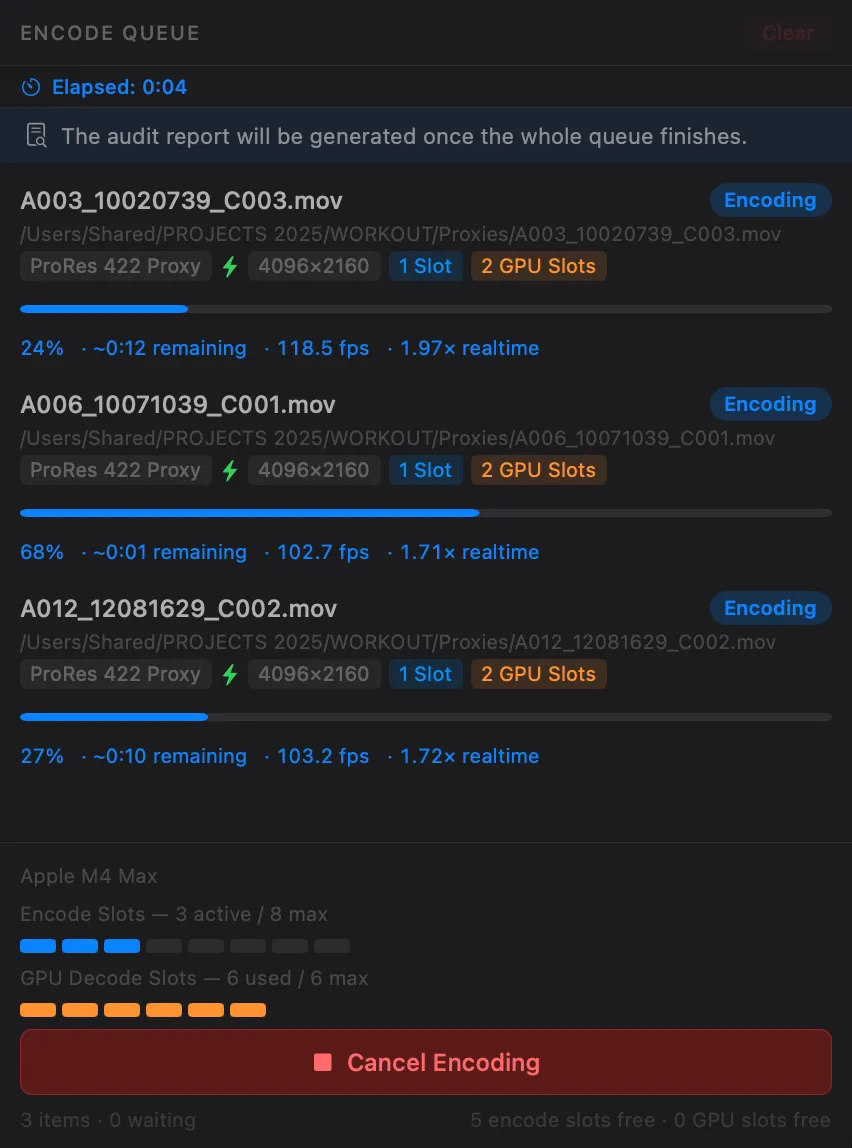
PME detects your chip, shows how many encode slots you have, and lets you see exactly what's happening. No guesswork.
Automation Depth
Full CLI with transcode, probe, inspect, service, and watch commands. REST API with SSE for pipeline integration. macOS Shortcuts support.
Custom Presets + LUT Baking
Save, export, and import custom presets. PME uniquely lets you bake a 3D LUT directly into a preset.
Transcode video in three steps
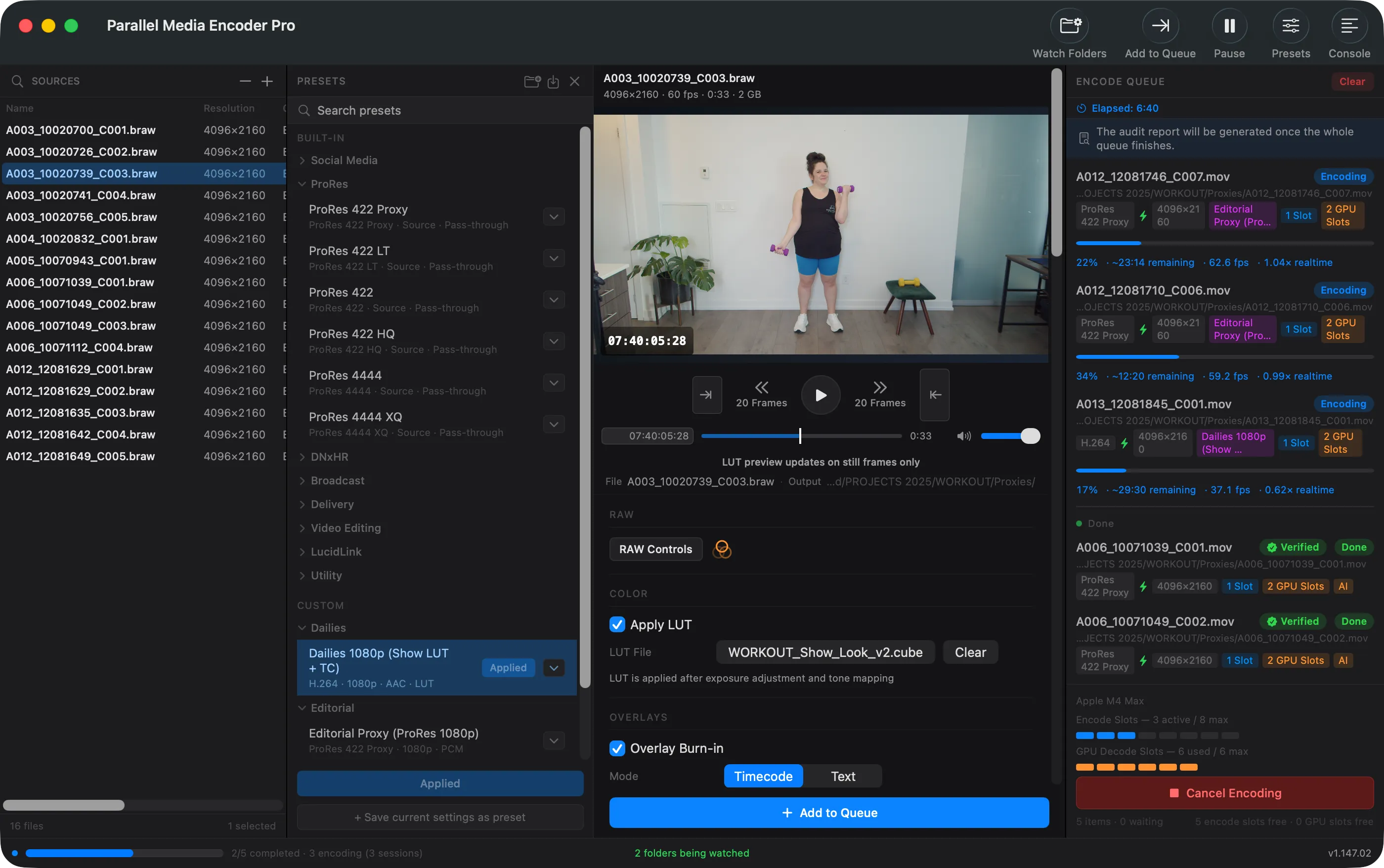
Import your media
Drag files or folders into Parallel Media Encoder. It reads all the same formats EditReady supports, including ProRes, H.264, H.265, MXF, and camera RAW, plus Insta360 footage.
Choose your output
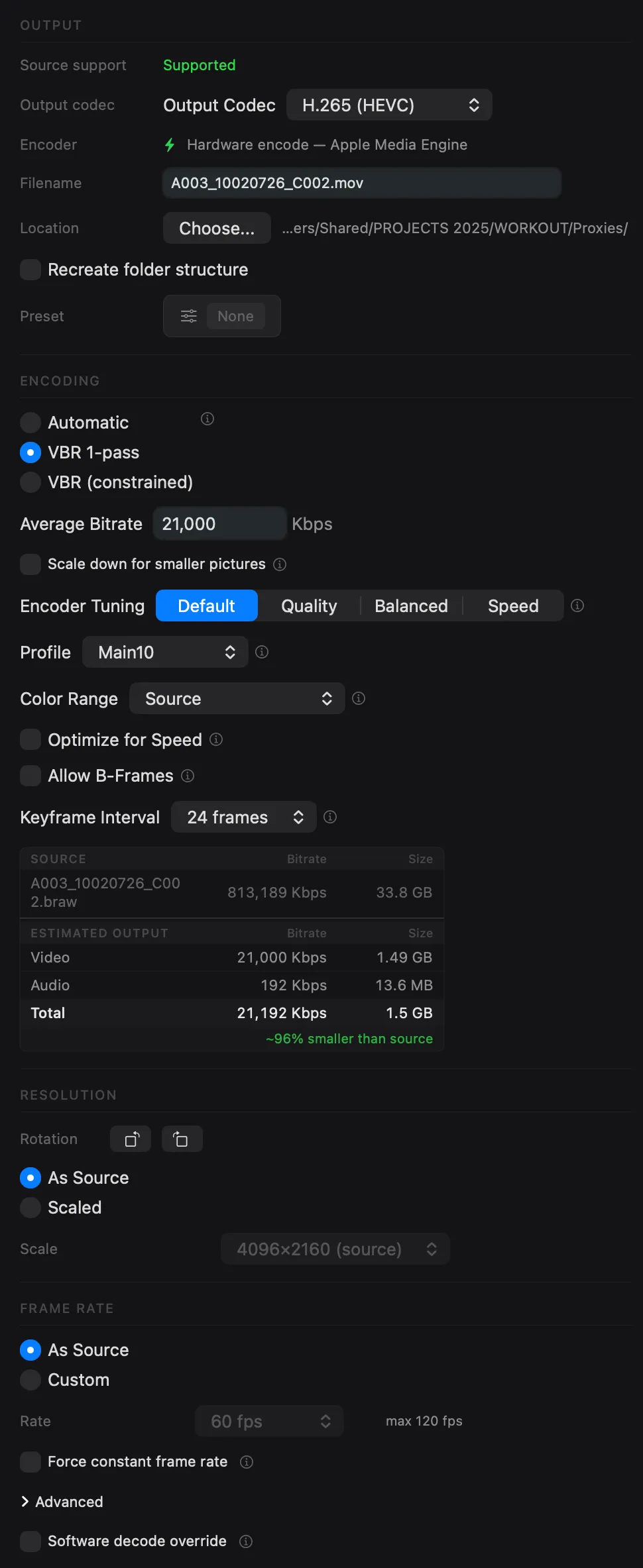
Pick your codec, quality mode, and resolution, or save custom presets with embedded 3D LUTs for one-click workflows. EditReady's built-in-only presets cannot do that.
Encode in parallel
PME detects your Apple Silicon chip and shows exactly how many hardware encode slots you have. You see what's happening and why, without guesswork.
Features EditReady doesn't have
Capabilities unique to Parallel Media Encoder.
H.265 output control
Choose 8-bit or 10-bit and 4:2:0 or 4:2:2 independently of your source. EditReady only passes through whatever the input uses.
Metadata pass-through
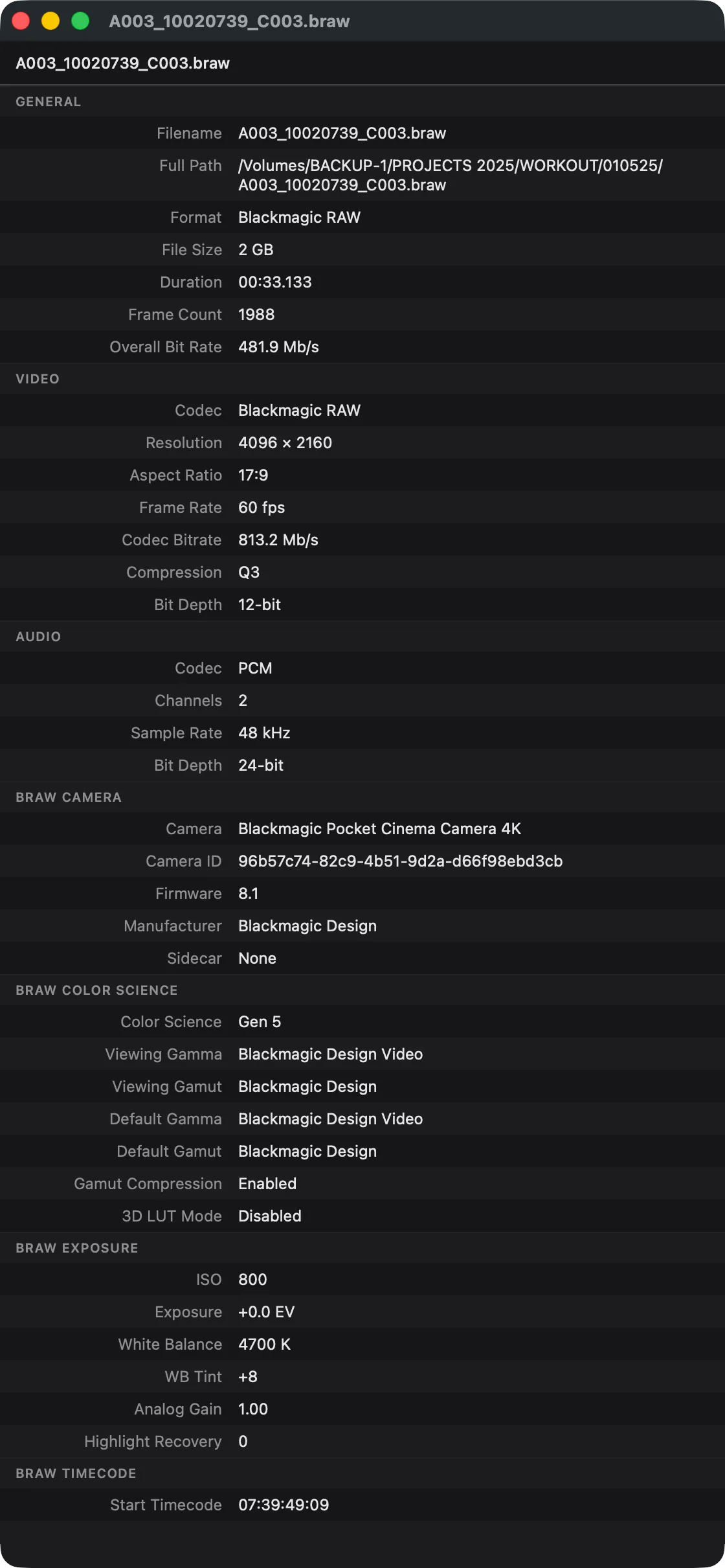
Preserves timecode, camera data, and reel names in output.
Insta360 support
Metadata preservation for 360° workflows.
Video rotation
90°, 180°, 270° rotation during transcode.
REST API with SSE
Service mode for pipeline integration with real-time progress events.
macOS Shortcuts
Automate transcoding from Shortcuts app.
Every codec you need
Get everything EditReady outputs, plus full control over H.265 bit depth and chroma subsampling independent of your source format.
Apple ProRes
Full ProRes family from Proxy to 4444 XQ. The industry standard for editing and finishing.
FreeH.265 / HEVC
Main, Main10, and Main10 4:2:2 profiles. Hardware-accelerated on Apple Silicon for fast delivery encodes.
Free 4:2:2 ProDNxHR / DNxHD
All DNxHR variants (LB through 444) and DNxHD for Avid Media Composer workflows.
ProQuality modes: Automatic, Manual Bitrate, VBR 1-Pass, and VBR 2-Pass. See all encoding options.
Transparent parallel encoding
Both apps encode in parallel. The difference: PME shows you exactly what your chip supports and how many slots are active. No guesswork.
Metadata EditReady skips
Parallel Media Encoder passes through source timecode, camera settings, reel names, and production metadata to your output files. EditReady does not.
- Timecode pass-through: source timecode preserved in output
- Camera metadata: model, lens, exposure, and recording details
- Folder structure: recreate source directory layout in output
- "Transcoded By" field: always know which files have been converted
EditReady alternative FAQ
Is Parallel Media Encoder really free?
How does PME compare to EditReady Pro?
Does EditReady support more formats?
Can I switch from EditReady easily?
Does PME support Apple Silicon?
Does PME have watch folders?
Related features
MXF to ProRes
Convert Sony and Canon MXF files to ProRes, H.265, or DNxHR with metadata preservation.
Learn moreBRAW & R3D to ProRes
Convert Blackmagic RAW and RED R3D files to ProRes or H.265 with RAW exposure control.
Learn moreWatch Folders
Auto-transcode new files as they arrive. Network share support with Keychain credentials.
Learn moreTry it free and switch in minutes
Download Parallel Media Encoder and start encoding. Free for ProRes and H.265. Pro is $39, one-time.
Download FreeRequires macOS 14.5 or later. Apple Silicon required.
Get the download link sent to your email