Convert camera RAW to ProRes on your Mac
Import Blackmagic RAW (.braw), RED R3D, Nikon N-RAW, ARRIRAW, Canon Cinema RAW Light (.CRM), and ProRes RAW files. Adjust exposure, apply 3D LUTs, and encode to ProRes or H.265 in parallel. Free to preview. $39 one-time for Pro.
Requires macOS 14.5 or later. Apple Silicon required.
Blackmagic RAW to ProRes proxies, start to finish
Nineteen BRAW clips imported, encoded to ProRes 422 Proxy three at a time, and audited against their sources, in one minute.
Works with your RAW files
Parallel Media Encoder decodes camera RAW for accurate color using the Blackmagic RAW SDK, RED SDK, official ARRI Image SDK, and Canon Cinema RAW Development SDK.
| Camera | Container | Codec | Resolution | Supported |
|---|---|---|---|---|
| Blackmagic Pocket 4K | BRAW | Blackmagic RAW | Up to 4K DCI | |
| Blackmagic Pocket 6K | BRAW | Blackmagic RAW | Up to 6K | |
| Blackmagic URSA Mini Pro | BRAW | Blackmagic RAW | Up to 4.6K | |
| RED Komodo | R3D | REDCODE RAW | Up to 6K | |
| RED V-Raptor | R3D | REDCODE RAW | Up to 8K | |
| RED DSMC2 | R3D | REDCODE RAW | Up to 8K | |
| Nikon Z 9 / Z 8 | NEV | N-RAW | Up to 8.3K | |
| Nikon Z6III / ZR | NEV | N-RAW | Up to 6K | |
| ARRI ALEXA 35 | MXF | ARRIRAW / ARRI HDE | Up to 4.6K | |
| ARRI ALEXA Mini LF | MXF | ARRIRAW / ARRI HDE | Up to 4.5K LF | |
| ARRI ALEXA Mini | MXF | ARRIRAW | Up to 3.4K Open Gate | |
| Canon EOS C500 Mark II | CRM | Cinema RAW Light | Up to 5.9K full-frame | |
| Canon EOS C300 Mark III | CRM | Cinema RAW Light | Up to 4K Super 35 | |
| Canon EOS R5 C | CRM | Cinema RAW Light | Up to 8K full-frame |
ProRes RAW from Atomos and DJI recorders is also supported. See the dedicated ARRI and Canon RAW transcoding pages for details about color spaces, looks, and metadata.
Built for RAW workflows
Professional tools for working with camera RAW footage.
RAW Exposure Control
Adjust exposure on RAW footage before encoding. Fine-tune your look without round-tripping to a color grading application.
Pro3D LUT Application
Apply .cube LUT files during transcode. Bake your look directly into the output, or save LUTs to custom presets for one-click grading.
ProMulti-scale Decode
RED R3D files decode at multiple resolution scales. BRAW supports full-resolution and proxy decode. ARRIRAW offers ADA5, ADA7, and Proxy 4×4 debayer modes via the ARRI Image SDK.
ProConvert RAW files in three steps
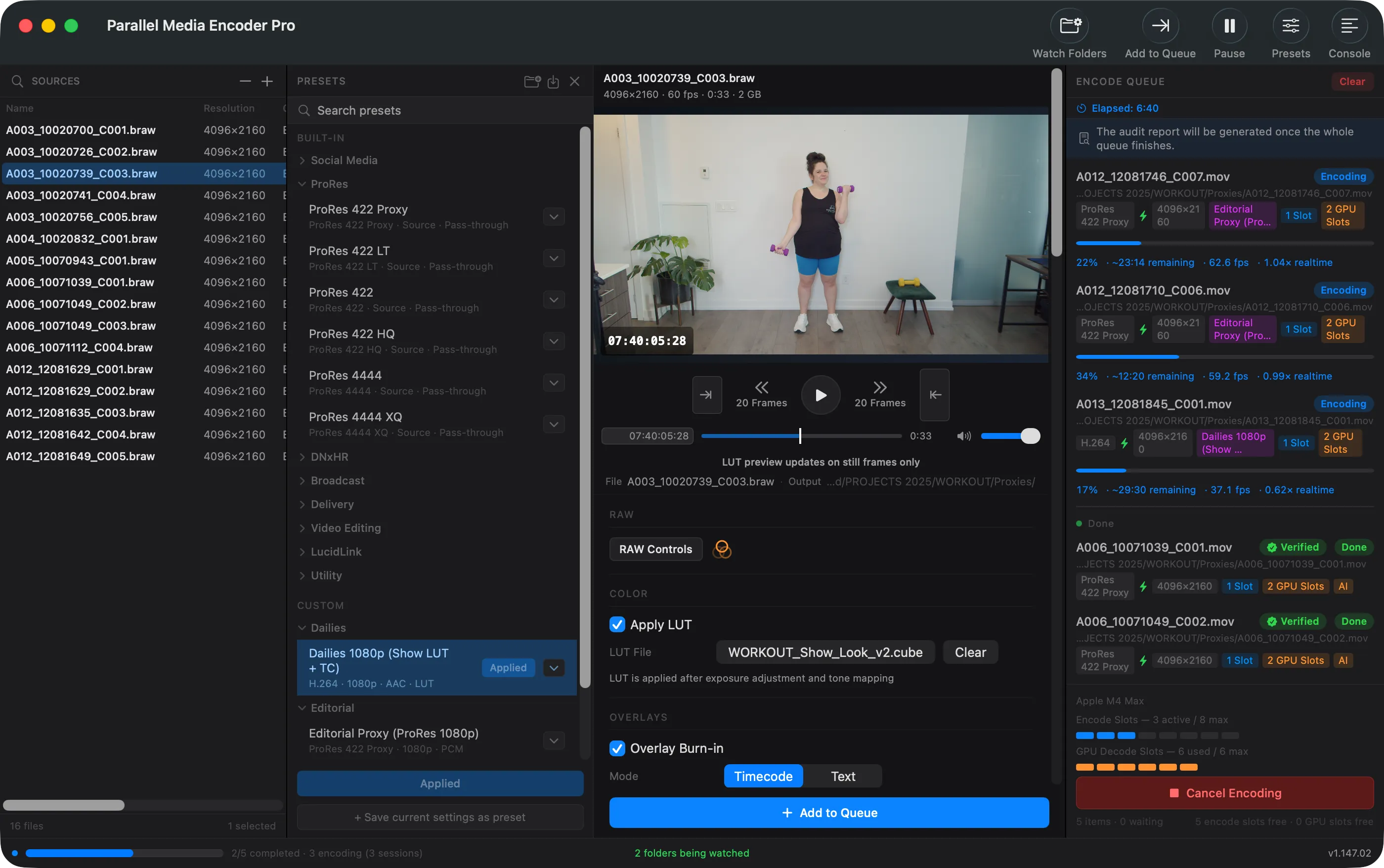
Import your RAW files
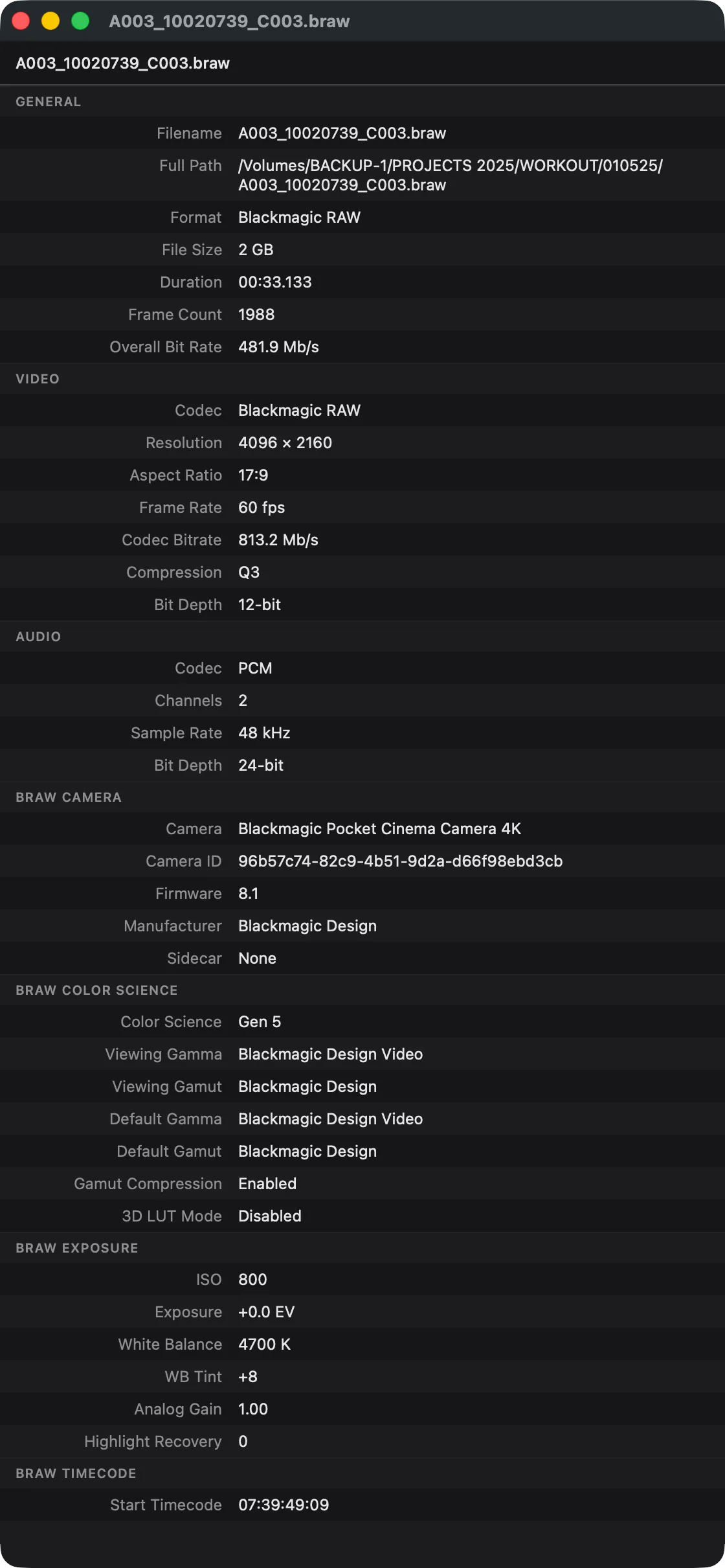
Drag BRAW, R3D, Nikon N-RAW (.NEV), ARRIRAW, Canon Cinema RAW Light (.CRM), or ProRes RAW files into Parallel Media Encoder. The app decodes them using manufacturer SDKs, including the official ARRI Image SDK and Canon's Cinema RAW Development SDK, and displays a preview with full metadata.
Adjust and configure
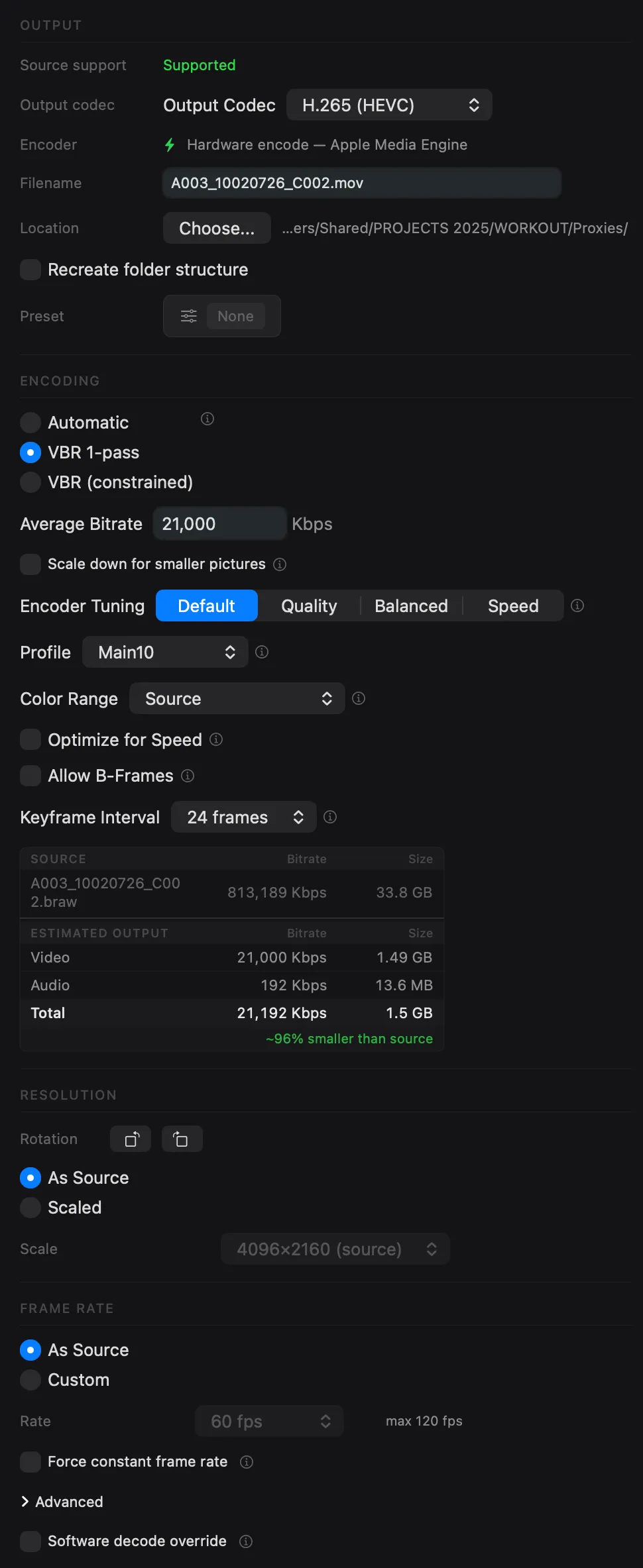
Set exposure, apply a 3D LUT, choose your output codec and quality mode. Save your settings as a custom preset for future use.
Encode in parallel
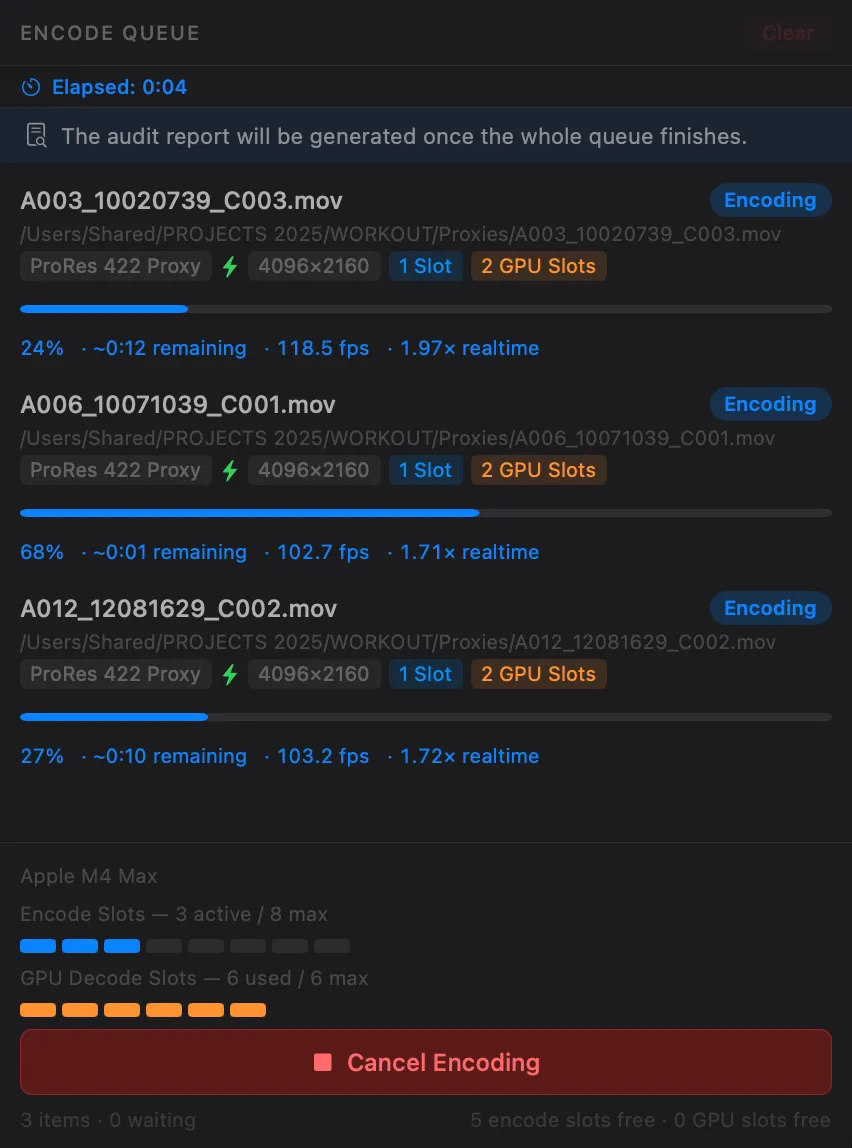
Parallel Media Encoder transcodes multiple RAW files simultaneously using Apple Silicon hardware media engines. Up to 10 files at once on Ultra chips.
Every codec you need
Convert RAW files to the format your NLE, client, or archive requires.
Apple ProRes
Full ProRes family from Proxy to 4444 XQ. The industry standard for editing and finishing.
ProH.265 / HEVC
Main, Main10, and Main10 4:2:2 profiles. Hardware-accelerated on Apple Silicon for fast delivery encodes.
ProDNxHR / DNxHD
All DNxHR variants (LB through 444) and DNxHD for Avid Media Composer workflows.
ProQuality modes: Automatic, Manual Bitrate, VBR 1-Pass, and VBR 2-Pass. See all encoding options.
Encode up to 10 RAW files in parallel
Your Apple Silicon Mac has dedicated hardware media engines. Parallel Media Encoder detects your chip and uses them simultaneously.
Preserve what matters
Camera RAW files carry timecode, exposure settings, reel names, and production metadata. Parallel Media Encoder passes it all through to your output files.
- Timecode pass-through: source timecode preserved in output
- Camera metadata: model, lens, exposure, and recording details
- Folder structure: recreate source directory layout in output
- "Transcoded By" field: always know which files have been converted
RAW conversion FAQ
Can I preview RAW files for free?
Which Blackmagic cameras are supported?
Which RED cameras are supported?
Which Nikon cameras are supported?
Can I apply a LUT during conversion?
Does PME support ARRI cameras?
Does PME support Canon Cinema RAW Light (.CRM)?
What output formats are available for RAW?
Is there a command-line option?
Related features
MXF to ProRes
Convert Sony and Canon MXF files to ProRes, H.265, or DNxHR with metadata preservation.
Learn moreTranscoding ARRI
ARRIRAW, ARRI HDE, and ARRICORE to ProRes with LogC3/LogC4 and full ARRI metadata, via the official ARRI Image SDK.
Learn moreEditReady Alternative
Everything EditReady does, plus H.265 control, LUTs, CLI, an AI-ready MCP server, and parallel encoding.
Learn moreFree to preview RAW files. $39 to encode.
Download Parallel Media Encoder and start working with your Blackmagic, RED, and ARRI footage.
Download FreeRequires macOS 14.5 or later. Apple Silicon required.
Get the download link sent to your email