
Convert MXF to ProRes on your Mac
Drag in Sony or Canon MXF files, pick your output codec, and encode them in parallel. Free for ProRes and H.265. No watermarks, no time limits.
Requires macOS 14.5 or later. Apple Silicon required.
Works with your camera files
Parallel Media Encoder reads MXF containers from all major cinema cameras.
| Camera | Container | Codec | Resolution | Supported |
|---|---|---|---|---|
| Sony FX3 | MOV / MP4 | XAVC S-I | Up to 4K 120p | |
| Sony FX6 | MXF | XAVC S / S-I | Up to 4K 120p | |
| Sony FX9 | MXF | XAVC S / XAVC-I | Up to 4K 60p | |
| Canon C70 | MXF | XF-AVC | Up to 4K 120p | |
| Canon C300 Mark III | MXF | XF-AVC | Up to 4K 60p | |
| Canon C500 Mark II | MXF | XF-AVC | Up to 5.9K 60p |
Also supports MXF from other professional cameras.
Convert MXF files in three steps
Drop your MXF files
Drag individual MXF files or an entire folder into Parallel Media Encoder. The app reads MXF containers from Sony and Canon cameras and displays source metadata, resolution, codec, and duration.
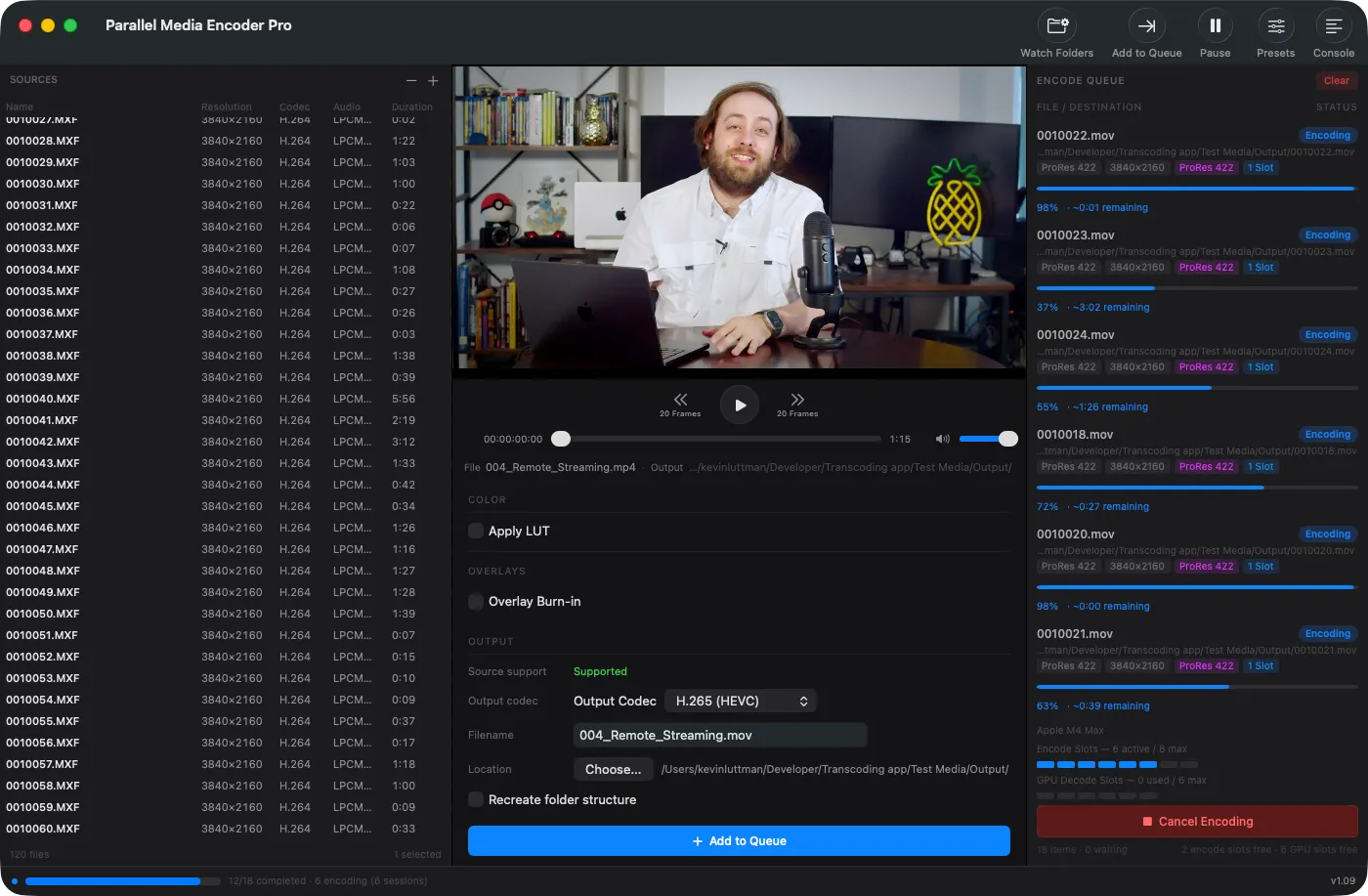
Choose your output codec
Pick ProRes (Proxy through 4444 XQ), H.265, H.264, or DNxHR. Set quality mode, resolution, and frame rate, or use a built-in preset for YouTube, Vimeo, or your NLE.
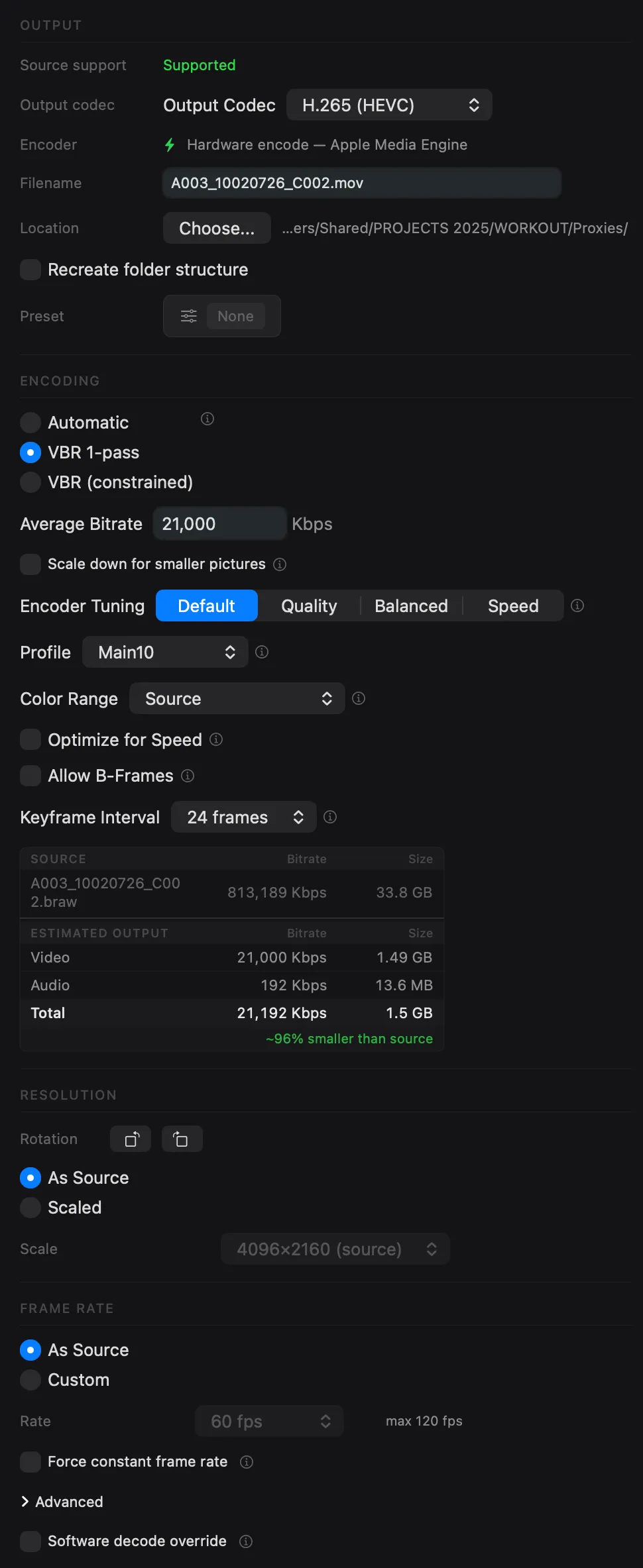
Encode files in parallel
Hit Encode and Parallel Media Encoder transcodes multiple files simultaneously using your Apple Silicon hardware media engines. On an M4 Max, 8 MXF files encode in 119 seconds vs 197 seconds sequentially.
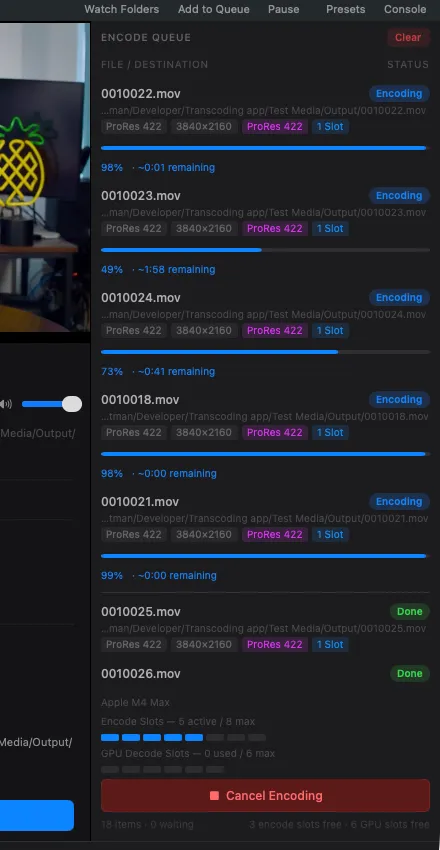
Every codec you need
Convert MXF files to the format your NLE, client, or archive requires.
Apple ProRes
Full ProRes family from Proxy to 4444 XQ. The industry standard for editing and finishing.
FreeH.265 / HEVC
Main, Main10, and Main10 4:2:2 profiles. Hardware-accelerated on Apple Silicon for fast delivery encodes.
Free 4:2:2 ProDNxHR / DNxHD
All DNxHR variants (LB through 444) and DNxHD for Avid Media Composer workflows.
ProQuality modes: Automatic, Manual Bitrate, VBR 1-Pass, and VBR 2-Pass. See all encoding options.
Batch convert up to 10 MXF files at a time
Your Apple Silicon Mac has dedicated hardware media engines. Parallel Media Encoder detects your chip and uses them simultaneously.
Preserve what matters
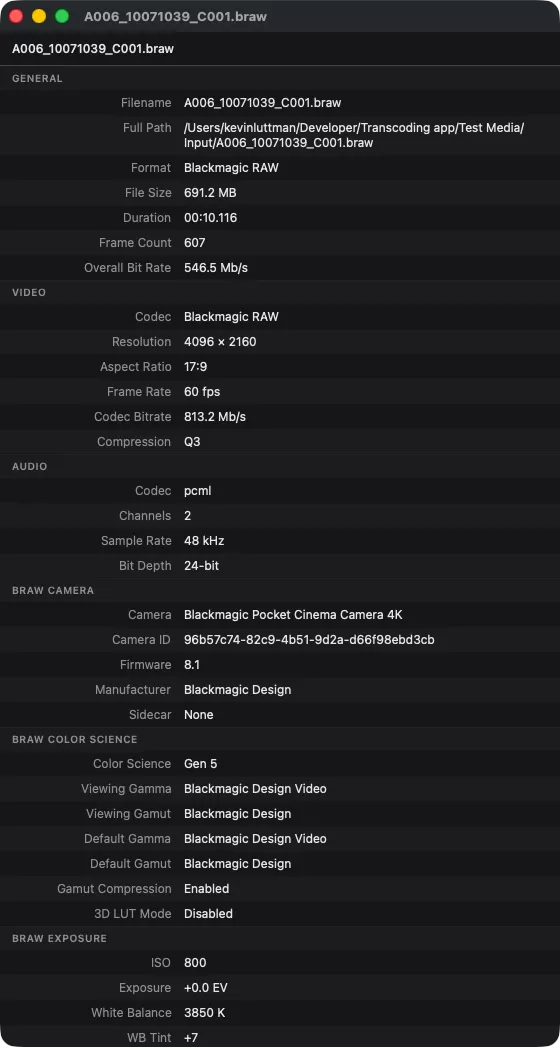
MXF files carry timecode, camera settings, reel names, and production metadata. Parallel Media Encoder passes it all through to your output files.
- Timecode pass-through: source timecode preserved in output
- Camera metadata: model, lens, exposure, and recording details
- Folder structure: recreate source directory layout in output
- "Transcoded By" field: always know which files have been converted
MXF conversion FAQ
Can I convert MXF files for free?
Which Sony cameras are supported?
Does it preserve timecode and metadata?
Can I batch convert an entire folder of MXF files?
What about Canon MXF files?
Can I automate MXF conversion?
Related features
BRAW & R3D to ProRes
Convert Blackmagic RAW and RED R3D files to ProRes or H.265 with RAW exposure control.
Learn moreTranscoding ARRI
ARRIRAW, ARRI HDE, and ARRICORE are also MXF-based. They are decoded via the official ARRI Image SDK with full LogC3/LogC4 color.
Learn moreEditReady Alternative
Everything EditReady does, plus H.265 control, LUTs, CLI, an AI-ready MCP server, and parallel encoding.
Learn moreStart converting MXF files today
Free for ProRes and H.265 output. No watermarks, no time limits.
Download FreeRequires macOS 14.5 or later. Apple Silicon required.
Get the download link sent to your email