
Compress Insta360 footage without losing 360
Most transcoders strip the metadata that makes your footage work as 360 video. Parallel Media Encoder keeps it intact, along with both lens tracks and the spatial audio, so Insta360 Studio still recognizes every clip.
Requires macOS 14.5 or later. Apple Silicon required.
A 62-second Insta360 X5 clip compresses from 1.48 GB to 349 MB, 76 percent smaller. The output keeps its 360 metadata, both 3840 by 3840 lens tracks and 4-channel spatial audio, and opens in Insta360 Studio.
Measured on a 62-second Insta360 X5 clip.
A real result
Same clip, a quarter of the size
A 62-second Insta360 X5 clip, before and after compressing to H.265 in PME. Everything Insta360 Studio needs is still there.
| Property | Original | Compressed with PME |
|---|---|---|
| File type | .insv | .insv |
| Video | 2 lens tracks · HEVC 3840×3840 | 2 lens tracks · HEVC 3840×3840 |
| Frame rate | 29.97 fps | 29.97 fps |
| Duration | 1:02 | 1:02 |
| Audio | 4 channels | 4 channels |
| 360 metadata | Yes | Yes |
| File size | 1.48 GB | 349 MB 76% smaller |
Read from both files with PME's media probe. Your savings depend on the bitrate you choose.
What PME keeps
Smaller files that still behave like the originals
Stays 360 in Insta360 Studio
PME keeps the Insta360 metadata and, if you like, the .insv and .lrv extensions, so Insta360 Studio opens the output as 360 media, ready for reframing and FlowState stabilization.
Both lenses, full resolution
Insta360 cameras record each lens as its own video track. PME encodes every track at full resolution in one file, so stitching still works.
Spatial audio passes through
The 4-channel spatial track is kept. Pass it through as recorded, keep every channel as PCM, or fold it to stereo when you need to.
H.264 or H.265, your bitrate
Pick H.265 for the smallest files or H.264 for the widest compatibility, then set the bitrate and resolution that suit your archive or edit.
Whole cards, not one clip at a time
Compress a whole trip in one go
Drop every .insv and .lrv from a card into the queue and PME encodes them side by side on your Mac's media engines. To make it automatic, point a watch folder at your offload folder, or hand the batch to your AI assistant.
How to compress Insta360 footage on Mac
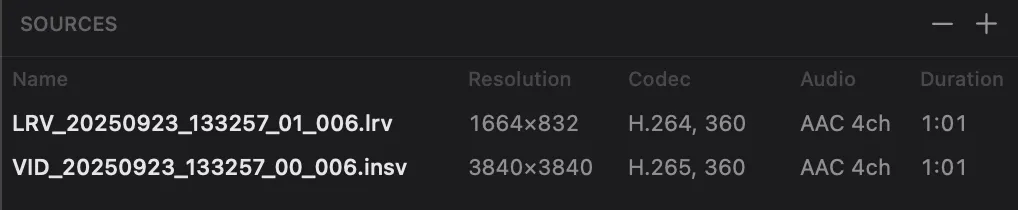
Drop in your Insta360 files
Drag your .insv or .lrv files into Parallel Media Encoder. The app detects them as Insta360 footage and turns on metadata preservation automatically.
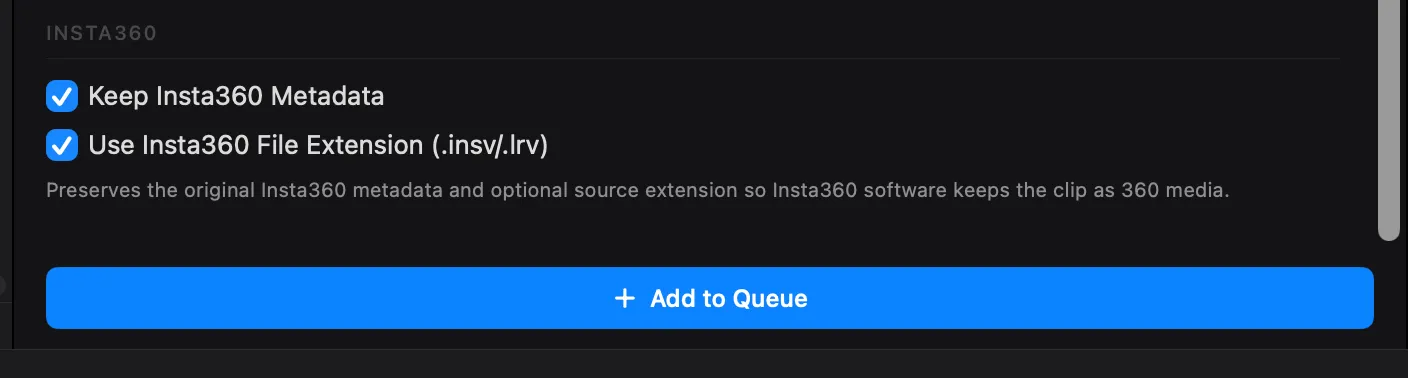
Choose your output settings
Pick H.264 or H.265, set your target bitrate and resolution, and optionally keep the .insv/.lrv file extension for full Insta360 software compatibility.
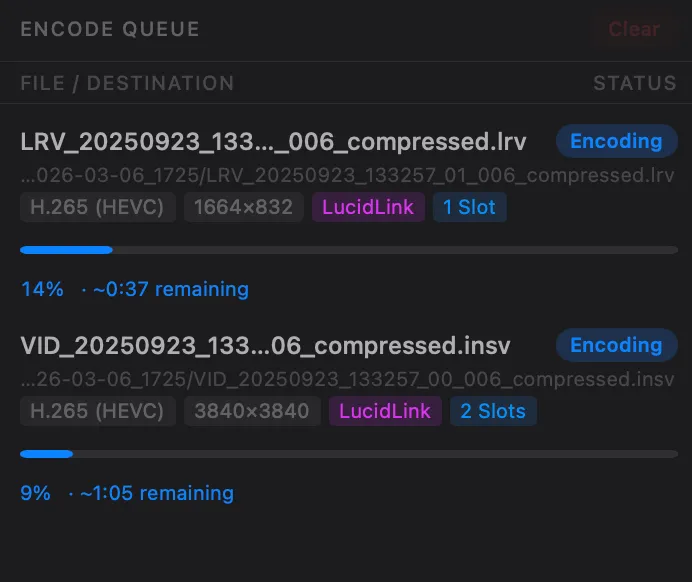
Compress and use in Insta360 Studio
Hit encode. Your compressed .insv and .lrv files open in Insta360 Studio as 360 media, ready for reframing, stabilization, and export just like the originals.
Insta360 compression FAQ
Will my compressed Insta360 files still work in Insta360 Studio?
How much smaller will my files be?
Which Insta360 cameras are supported?
Is the spatial audio kept?
Should I use H.264 or H.265 for Insta360 compression?
Can I compress Insta360 footage to ProRes?
Does it handle the dual-lens tracks in Insta360 files?
Is Parallel Media Encoder free?
Related features
MXF to ProRes
Convert Sony and Canon MXF files to ProRes, H.265, or DNxHR with metadata preservation.
Learn moreBRAW & R3D to ProRes
Convert Blackmagic RAW and RED R3D files to ProRes or H.265 with RAW exposure control.
Learn moreWatch Folders
Auto-transcode new files as they arrive. Network share support with Keychain credentials.
Learn moreReady to compress your Insta360 footage?
Download free. Keeps your 360 metadata intact.
Download FreeRequires macOS 14.5 or later. Apple Silicon required.
Get the download link sent to your email